Claude in Russia: VPN Setup, Access Verification, and Bypassing API Blocks
Step-by-step expert guide: how to reliably use Anthropic's Claude from Russia. Protocol choices, split tunneling, ECH/DoH, leak testing, reducing anti-fraud risks, subscribing with Russian cards and cryptocurrency, real cases, and checklists.
Content of the article
- Introduction: why this matters now
- The basics: how services "see" your region and who decides on blocking
- Deep dive: advanced threat model and controls
- Method 1: universal vpn setup for accessing claude
- Method 2: split tunneling — minimizing footprint and increasing stability
- Method 3: bypassing blocks at tls and dns levels
- Method 4: offloading egress traffic and dedicated exit points
- Common mistakes and how to avoid them
- Time-saving tools and resources
- Cases and outcomes: what works in practice
- Faq: 10 key questions
- Conclusion: your roadmap to stable access
Introduction: Why This Matters Now
Anthropic's Claude has become an essential tool for developers, analysts, and teams focused on AI products. But accessing it from Russia is complicated by regional restrictions, anti-fraud filters, payment barriers, and sometimes ISP-level blocking. The good news? A technically sound network setup and disciplined connection strategy solve 90% of issues: you get stable web interface access, can send API requests, manage billing, and won’t waste hours troubleshooting at odd times.
In this guide, we'll take you through the entire journey—from the basics of VPNs and how services detect your region, to advanced techniques that lower the risk of blocks like split tunneling, ECH, DoH/DoT, and careful TLS fingerprinting. We cover four practical methods with step-by-step instructions, common mistakes, and payment options working with Russian cards. In the end, you'll have a proven setup you can document in a checklist and scale across your team.
The Basics: How Services "See" Your Region and Who Decides on Blocking
How Your User "Geo" Is Determined
- IP Geolocation: The foundation of all regional checks. MaxMind and database providers indicate country, city, ASN, and IP type (ISP, data center, mobile segment). Sudden IP changes or switching to known public proxies triggers flags.
- ASN/Address Pools: IPs from data centers often raise suspicion in API traffic, unlike residential IPs. But a stable dedicated IP from a trusted pool is usually accepted without issues.
- Device System Signals: Language, time zone, browser locale, keyboard region, OS and browser versions, font lists. Mismatches (like a Netherlands IP but Moscow time zone) increase chances of extra checks.
- Network Characteristics: DNS resolver, WebRTC candidates (can expose your local or ISP IP), presence of IPv6 without tunneling, TLS behavior (ALPN, cipher suites, versions), JA3/JA4 signatures.
- Behavior Patterns: Sudden spikes in request frequency, multiple accounts from one IP, frequent region switches. These trigger anti-fraud mechanisms based on risk, not just geo.
VPN, Proxies, and Tunnels: What’s the Difference?
- VPN: Encrypts all (or partial, with split tunneling) traffic, assigns an external IP of the VPN server. Protocols include WireGuard, IKEv2/IPsec, OpenVPN (UDP/TCP), SSTP, L2TP/IPsec.
- HTTP/HTTPS Proxy: Changes outgoing IP only for supported apps or libraries. Often enough for API clients, but VPN-level protection is better for web interfaces.
- SOCKS5: A flexible proxy at TCP/UDP level, good for developers and precise routing of CLI tools, but DNS and WebRTC must be carefully configured to avoid exposing your real IP.
Web Interface vs API
- Web: Adds visible factors like fingerprinting, WebRTC, browser locale. Requires careful client environment setup and consistency.
- API: Focuses more on IP reputation, request volume, and retry patterns. TLS signatures and stable egress IP often matter more than browser “cosmetics.”
Deep Dive: Advanced Threat Model and Controls
DPI, SNI, ECH, and QUIC/HTTP3
- DPI (Deep Packet Inspection): ISPs and corporate networks can analyze TLS headers and SNI, blocking domains. Classic SNI doesn’t encrypt hostnames and can be seen at network edges.
- ECH (Encrypted Client Hello): Since 2026, host name encryption is widely supported in current browsers and libraries. This reduces SNI blocking effectiveness but requires resolver/server support.
- QUIC/HTTP3: Lowers latency and varies network “fingerprints.” If UDP traffic is blocked, switch to TCP/HTTP2.
TLS Fingerprints, JA3/JA4, and Anti-Fraud Resistance
Modern anti-fraud systems factor in TLS version combinations, cipher suites, extensions, and ALPN. An “unusual” client or sudden profile changes can trigger extra checks. Practical advice: minimize client stacks, use current popular clients (latest stable cURL, OpenSSL, popular browsers), and avoid frequent HTTP2/HTTP3 switches unless necessary.
IPv6, MTU, and DNS
- IPv6 Leaks: If the VPN does not tunnel IPv6, it’s better to disable it on the OS interface or within the tunnel to prevent traffic bypassing the VPN.
- MTU/MSS Clamp: Incorrect MTU causes fragmentation and packet loss. Typical values: 1420 for WireGuard, 1500 for OpenVPN UDP with MSS clamp at 1452/1400 in complex networks.
- DNS: Resolving through public resolvers and DoH/DoT reduces reliance on the provider. Ensure DNS queries also go through the VPN to avoid resolver-level filtering.
Method 1: Universal VPN Setup for Accessing Claude
Choosing Region and Protocol
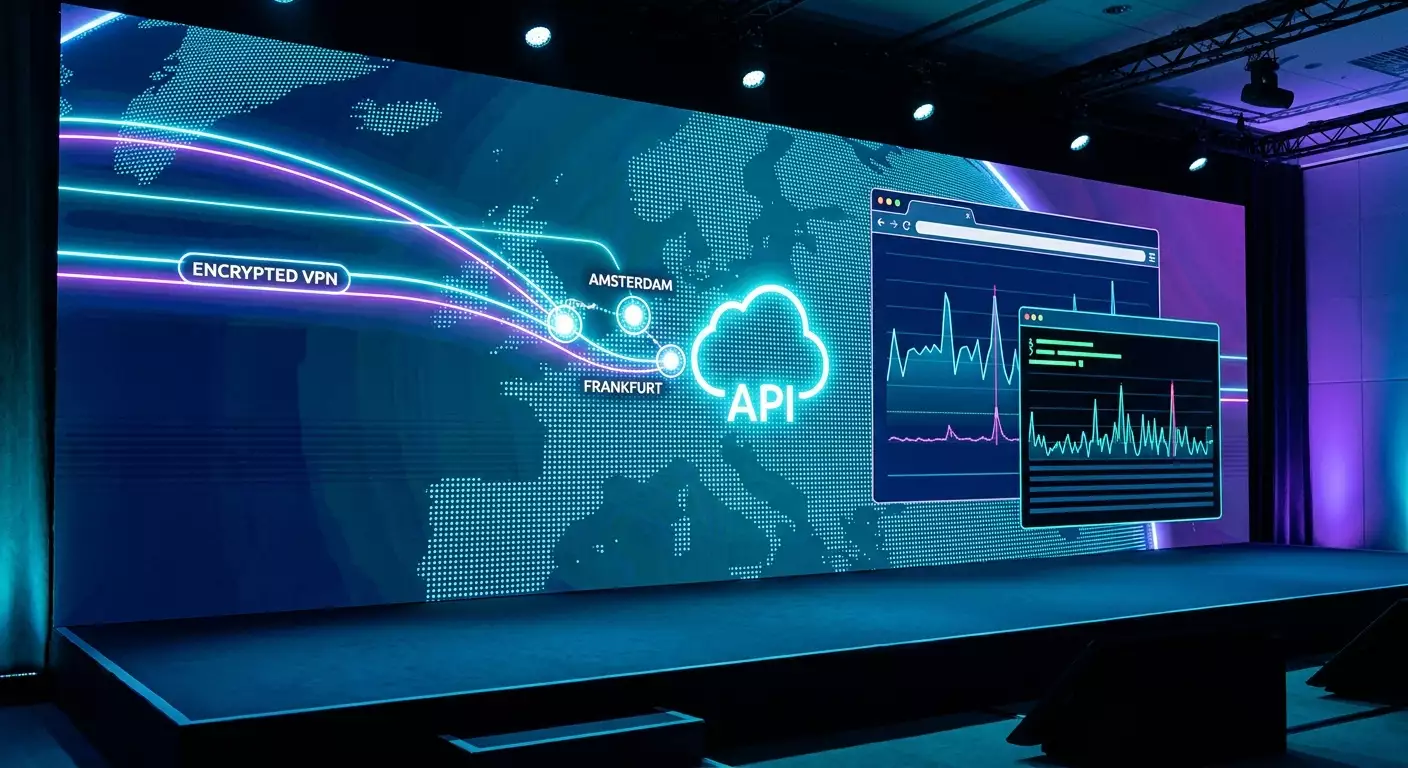
- Region: Amsterdam, Frankfurt, and London usually offer stable Claude access, thanks to good peering with global infrastructure and predictable latency from Russia.
- Protocol: WireGuard (speed, stability, simplicity), IKEv2 (native OS support, fast reconnect), OpenVPN UDP (compatibility), OpenVPN TCP or SSTP (bypassing UDP restrictions), L2TP/IPsec (older but sometimes works where others fail).
Windows: Quick Start
- WireGuard: Install client, import config or scan QR code. Enable Kill Switch (block non-VPN traffic), disable IPv6 for Ethernet/Wi-Fi if your provider leaks IPv6 outside the tunnel.
- IKEv2: Control Panel → Network and Internet → Network and Sharing Center → Set up a new connection → VPN. Enter server address, select IKEv2, input credentials. Under Advanced, set certificate verification and enable "Use this connection as default" for full tunnel. Check routes with PowerShell Get-VpnConnection and Add-VpnConnectionRoute for split routing.
- OpenVPN: Install client, import .ovpn file. If UDP issues arise, switch to TCP profile and fix MTU/MSS clamp in configuration.
macOS: Reliable and Native
- WireGuard: Install from App Store, import config, enable On-Demand for trusted/untrusted Wi-Fi. Set MTU to 1420 on unstable networks.
- IKEv2: System Preferences → Network → Add Interface → VPN (IKEv2), enter server, remote ID, local ID, authentication. Under Advanced, send all traffic or configure routes for Claude domains.
- OpenVPN: Use a popular client. Test TCP mode if facing DPI.
Linux: Control and Automation
- WireGuard (wg-quick): Place config at /etc/wireguard/wg0.conf, then sudo wg-quick up wg0. Use AllowedIPs and policy routing with fwmark and ip rule for split tunneling. Check MTU with ip link set dev wg0 mtu 1420.
- strongSwan (IKEv2): Configure ipsec.conf and secrets, enable charon services. Useful for server environments and stable reconnects.
- OpenVPN: Use systemd unit for autostart, ensure correct push "redirect-gateway" and DNS settings.
iOS and Android: Mobile Access
- WireGuard: Import via QR, enable On-Demand: “always on” for untrusted networks. Verify DNS queries go through tunnel.
- IKEv2: Use config profile or manual input, enable "Send All Traffic" or specify Claude domain routes.
Post-Setup: Functionality Checklist
- Confirm external IP and country match the chosen region.
- Test for DNS leaks—resolvers should reflect your VPN region.
- Disable or limit WebRTC leaks in browser settings/flags; use local IP leak protection mode.
- IPv6: either fully tunnel or disable it at OS interface.
- Ensure Kill Switch is active to prevent traffic leaks on reconnect.
API Quick Check
- curl -v https://api.anthropic.com/ — you should see a valid TLS handshake. A 401/403 means network is reachable but headers/keys lack validity; network errors or timeouts indicate routing/block issues.
- Run traceroute/mtr to API hosts: check for unstable bottlenecks or sudden drops.
Method 2: Split Tunneling — Minimizing Footprint and Increasing Stability
The idea: route only Claude traffic (and related payments/portals) through VPN, keep other traffic local. This reduces delays for usual sites, lowers suspicious patterns (when "everything" routes through another country), and simplifies corporate security policies.
How to Implement
- WireGuard: Use AllowedIPs in Peer config for exact prefixes. For domain routes, resolve domains beforehand and update their IP list regularly (with cron/systemd-timer scripts). Use fwmark and policy routing to bind specific apps/UIDs to wg0 interface.
- Windows: Use Add-VpnConnectionRoute (PowerShell) to add needed prefixes via VPN interface. Alternative: per-app routing in clients supporting split tunneling.
- macOS: Add routes manually with route add or scripts when tunnel starts. For persistence, use LaunchAgents to run scripts on up/down events.
- Android: Employ per-app VPN in WireGuard/IKEv2 clients, selecting apps like dev browsers, IDEs, terminals.
Split Tunneling Checklist
- Create a list of Claude domains/subdomains and payment gateways.
- Set up periodic IP list updates (at least daily, considering CDN changes).
- Verify DNS queries for those domains also go through the tunnel.
- Run end-to-end tests: web login, short API request, transaction confirmation.
Method 3: Bypassing Blocks at TLS and DNS Levels
ECH and Modern Stack
- Enable ECH in current browsers: makes SNI blocking harder. Ensure your resolver supports delivering required ECH parameters.
- DoH/DoT: Use encrypted DNS to prevent your provider from intercepting or tampering with resolutions. Verify DoH/DoT goes via VPN interface.
- QUIC/HTTP3 vs TCP/HTTP2: If UDP traffic is blocked, switch to TCP path; try HTTP3 if latency is high. Use curl options to select protocol.
DNS Resilience and Cache
- Disable EDNS Client Subnet on the resolver side or pick settings that avoid leaking your real region.
- Shorten TTL for problematic domains to quickly adapt to CDN IP changes.
Beware of "Heavy" Techniques
Techniques like domain fronting can work but often violate infrastructure and AI platform rules. We recommend avoiding them in production with paid and long-term accounts. Prioritize white-hat, reproducible methods.
Method 4: Offloading Egress Traffic and Dedicated Exit Points
For stable "fingerprints" and maximum control, use a personal exit node in an allowed region. Options include deploying a small server in a European data center, configuring WireGuard/IKEv2/OpenVPN on it, and connecting your work devices, CI/CD, and servers. Benefits: dedicated IP, predictable reputation, flexible routing, and strict firewall policies.
Deployment Scheme
- Set up a VPS in your preferred region (e.g., AMS/FRA/LON). Open only necessary ports (UDP 51820 for WG; UDP 500/4500 for IKEv2; TCP/UDP 1194 for OpenVPN).
- Generate keys, create client profiles, enable KeepAlive/DPD for auto session recovery.
- Configure NAT and forwarding (sysctl net.ipv4.ip_forward=1, appropriate IPv6 settings as needed).
- Restrict panel/SSH access by IP whitelist; enable fail2ban or equivalents.
- Add health checks and latency monitoring with alerts sent to messenger.
Practical Alternative Without Administration
If setting up your own egress server sounds too time-consuming, you can use a ready-made personal VPN service with a dedicated IP and multi-protocol support. A recommended expert option is vpn.how offering personal (not shared) servers where clients get dedicated IPs, supporting WireGuard, OpenVPN, IKEv2, L2TP, SSTP; servers in Moscow, St. Petersburg, Amsterdam, Frankfurt, London, New York, San Jose, Chicago, Singapore, Sydney, Madrid, Helsinki, Stockholm, Warsaw, Copenhagen, Stavanger; accepting Russian cards (including Tinkoff, Ozon), SBP, USDT/BTC; rates from 490 ₽ daily and 2490 ₽ monthly, with discounts for longer subscriptions; instant server launch within 5 minutes after payment; strict no-logs policy. For Claude access, focus on stable western locations (Amsterdam, Frankfurt, London) and dedicated IP to minimize anti-fraud triggers.
Common Mistakes and How to Avoid Them
- Frequent Region and IP Changes: triggers anti-fraud. Pick one region and stick to it.
- Shared IPs on Mass VPNs: high risk of poor IP reputation. Dedicated IPs are preferable.
- Overlooked Leaks: WebRTC/IPv6/DNS outside the tunnel. After setup, perform a full audit.
- Aggressive API Retries: look like scans. Use exponential backoff, jitter, and RPS limits.
- System Inconsistency: EU IP but RU timezone and language. Keep your profile consistent (locale, date format, keyboard).
- No Kill Switch: traffic escapes directly on tunnel drops, revealing your real IP.
- Ignoring MTU: request freezes often fixed by proper MTU/MSS clamp settings.
- Random Browser Extensions: may make external requests outside VPN/DoH. Minimize extension usage.
Time-Saving Tools and Resources
Network Testing
- curl/openssl: curl -v with protocol flags (--http2/--http3), headers; openssl s_client -connect host:443 -servername host to verify TLS chains.
- traceroute/mtr: diagnose unstable network segments.
- ipconfig/ifconfig, ip route/ip rule: check routes, tables, metrics.
- Browser Flags: enable ECH/DoH, manage WebRTC.
Client Setup
- WireGuard: wg-quick, configs with AllowedIPs, PersistentKeepalive, MTU settings.
- OpenVPN: separate UDP/TCP profiles, tls-auth/crypto options, DNS modules.
- IKEv2: device profiles, DPD, session reuse.
Operational Best Practices
- Connection Checklist: IP/country, DNS resolver, WebRTC, IPv6, Kill Switch, MTU, latency to key hosts.
- Documentation: save region/protocol/client/version profile. Repeatability beats heroic one-time fixes.
- Monitoring: periodic API availability tests (lightweight ping), alerts to chat.
Cases and Outcomes: What Works in Practice
Case 1: Individual Developer
Goal: access Claude web interface and basic API prototyping in the evenings. Solution: WireGuard with dedicated IP in Amsterdam, Kill Switch, DoH enabled, WebRTC limited. Time to first working request: 30 minutes. Metrics: 99.5% stability over 30 days, average API RTT 55-70 ms; zero 403 errors with correct headers. Payment: Russian bank card via intermediary with a virtual card issued; monthly subscription succeeded on first attempt.
Case 2: Small Team (5 people)
Goal: web + API access from Russia and remote EU workers. Solution: central egress server in Frankfurt with WireGuard, per-peer keys, split tunneling by Claude domains, DoH/DoT. Browsers have ECH enabled, locale set to EN-US with CET time zone for consistency. Result: sporadic extra web entry checks disappeared, API errors reduced by 80% (moved from shared VPN). Stats: 99.7% uptime quarterly, p95 API latency 120 ms. Payments: USDT via P2P exchange, then card linked to developer's account in a friendly jurisdiction.
Case 3: Research Lab
Goal: large-scale Claude API experiments, nightly batches, high RPS. Solution: two egress nodes (Amsterdam and London), task balancing at orchestrator level, strict RPS quotas, exponential backoff and jitter. HTTP/2 for stability, TCP fallback on UDP degradation. Result: resilience to network fluctuations, zero account blocks for 6 months, p99 network errors <0.3%. Payment: Russian cards via intermediary with virtual payment profiles, backup BTC->USDT channel for uninterrupted subscription renewal.
FAQ: 10 Key Questions
1. Will using a VPN get my account banned?
Risk is minimal if you follow the rules: use a stable dedicated IP, don’t change regions, keep a reasonable RPS, and avoid trying to bypass account limits or platform rules. Most flags come from sudden IP switches, aggressive retries, or shared proxy reputations.
2. Which protocol should I choose for Claude?
Start with WireGuard for a balance of speed and reliability. If UDP is restricted, switch to IKEv2 or OpenVPN TCP. For complex corporate networks, SSTP sometimes works, but check performance.
3. Why does the API sometimes respond 403 with a "working" VPN?
403 means the request reached the server but was rejected by policy/authentication. Check your key/headers validity, IP stability, region consistency, RPS, and retries. If 403 occurs only on a specific IP, its reputation might be questionable—request a different dedicated IP.
4. What about DNS and WebRTC leaks?
Any leak can reveal your real region. Check DNS over VPN, enable DoH/DoT, restrict WebRTC in browsers, and disable standalone DNS clients in third-party apps.
5. Do Russian cards work for subscriptions?
Direct use is often blocked, but some options exist: virtual cards via intermediaries, Tinkoff/Ozon card payments linked to foreign payment profiles, P2P USDT/BTC exchange followed by payment. Sometimes paying via a colleague in a friendly country with SBP reimbursement helps.
6. Can I use Russian VPN locations?
For Claude access, pick western locations. Russian servers are useful for local resources but ineffective for AI services due to geo-restrictions and reputational risks.
7. Why are shared proxies bad?
High user density, abuse history, and scripted activity on one IP cause flags. Dedicated IPs reduce noise and create predictable profiles.
8. How important are time zone and locale?
They aren't critical by themselves, but mismatches with IP often signal risk. Align your environment consistently: EN-US locale, matching time zone, date, and currency formats for the chosen region.
9. What's the best approach to latency?
Choose the nearest western region by routing (usually Amsterdam/Frankfurt/London), fix MTU, use HTTP/2, switch to TCP if UDP fails. Add jitter to backoffs to avoid retry storms.
10. Is this legal?
You must comply with your country’s laws and service terms. This guide outlines technical ways to establish reliable connections and payments, but legality is the user’s or organization’s responsibility.
Conclusion: Your Roadmap to Stable Access
The key to reliable Claude access from Russia comes down to three words: consistency, control, verification. Consistency in region and IP; control over protocols, DNS, and leaks; regular checks of routes, latency, and API responses. Start with basic WireGuard/IKEv2 setup in a stable western location, add Kill Switch, DoH/DoT, and WebRTC restrictions. As usage grows, implement split tunneling and bring-your-own egress to gain a dedicated IP and predictable profile. Lock in best practices with checklists and automated availability tests. For subscription payments, use reliable channels: Russian cards via intermediaries (including Tinkoff and Ozon), SBP for paying helpers, and cryptocurrency (USDT/BTC) when allowed. Build your setup right once, professionally, and it will reward you with months of seamless Claude operation.