Configurazione VPN IKEv2 su Android con StrongSwan
In breve
Connettiti a una VPN IKEv2 su Android in pochi minuti: scarica il client strongSwan, importa la configurazione dalla sezione I Miei VPN, inserisci login e password e connettiti subito.
Non vuoi configurare il server da solo?
Ottieni un server pronto

Scarica l'app gratuita strongSwan VPN Client sul tuo dispositivo Android.
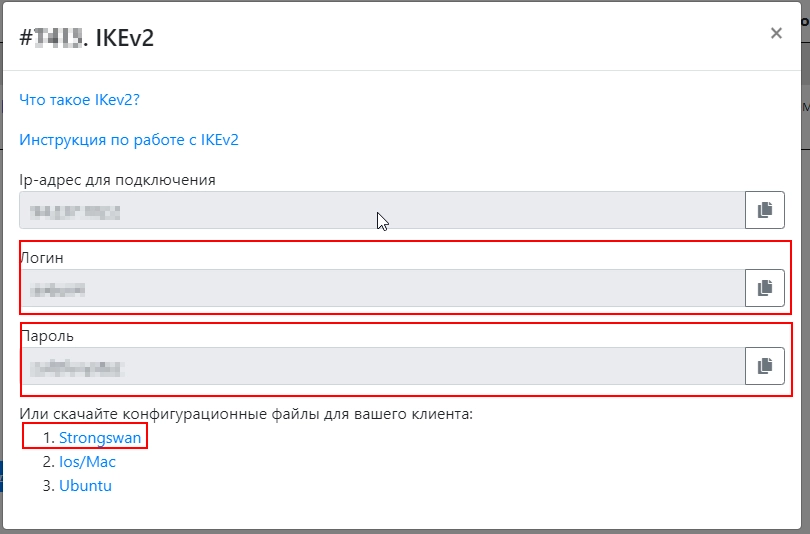
Nella sezione I Miei VPN, scarica il file di configurazione della VPN IKEV2 per strongSwan e consulta il login e la password della VPN.
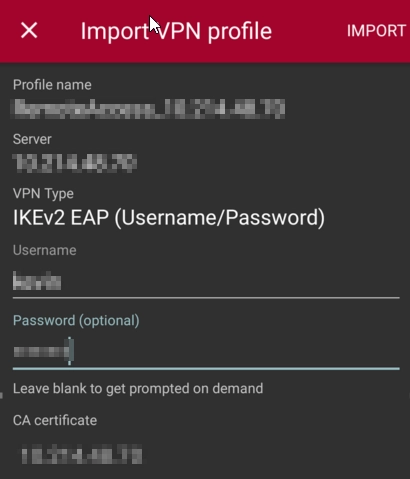
Importa lo script in strongSwan e inserisci nome utente e password
Ora il dispositivo è pronto per connettersi.
Editore: vpn.how