Guide d'utilisation d'OpenVPN sur iOS
En bref
Connectez-vous en toute sécurité avec le protocole OpenVPN sur iOS : téléchargez le client, importez la configuration et appuyez sur Connecter. Tutoriel pour iPhone et iPad
Pas envie de monter le serveur vous-même ?
Obtenir un serveur prêt

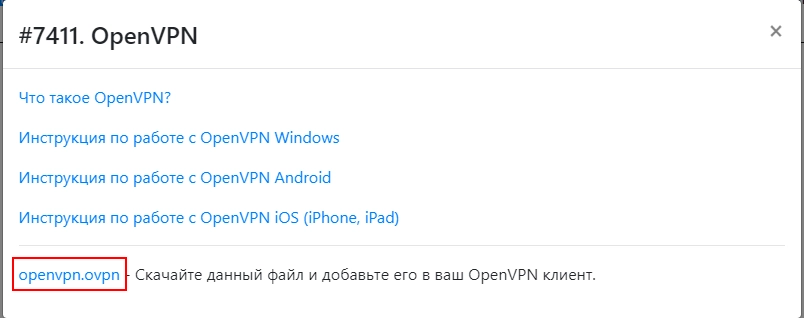
- Téléchargez le fichier de configuration

- Téléchargez la dernière version pour iOS : https://openvpn.net/vpn-client/ et installez-la
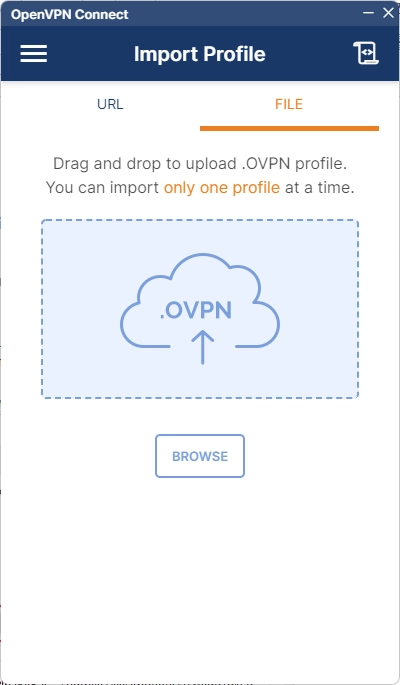
- Lancez l'application installée
- Importez le fichier téléchargé
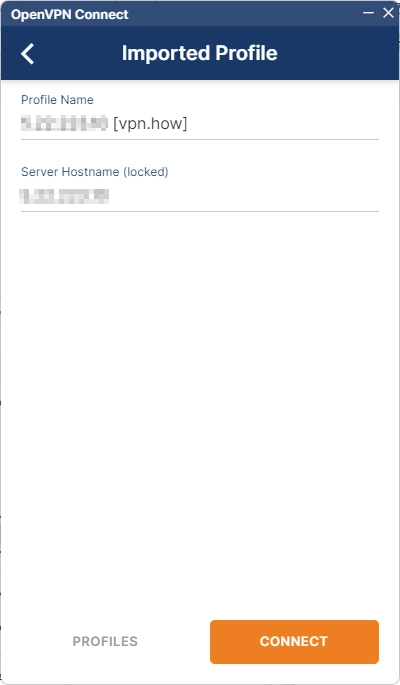
- Attendez que le fichier de configuration soit chargé, puis appuyez sur « Connect »
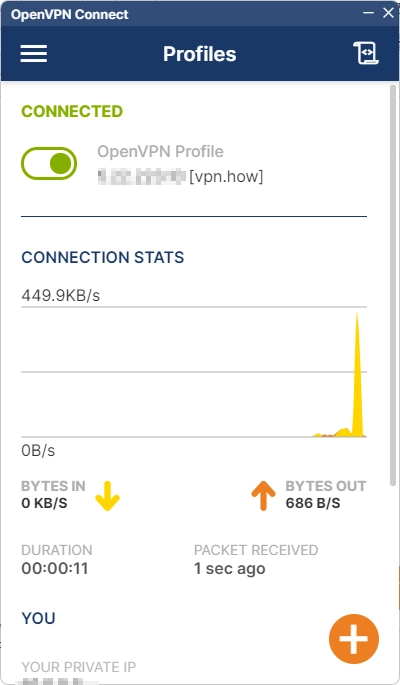
- C’est prêt, vous êtes connecté au protocole VPN sécurisé et chiffré OpenVPN sur iOS
Éditeur : vpn.how